
Screenshots
App details
- Updated
- 2024-08-08T02:41:13.7747664Z
- Requires
- Windows 10 version 17763.0 or higher
- Language
- English
- Developer
- Eduardo G
- Category
- Mobile
SoftPas in:
This product is also available in the following languages:
About ModernICO Converter
Download ModernICO Converter – icon converter, image to icon, batch icon conversion, png to ico, image converter
Overview
ModernICO Converter is a focused utility designed to simplify the conversion of common image formats into the ICO format, a standard for icons in Windows environments. The app addresses a specific yet essential need for developers, graphic designers, and users who require high-quality, scalable icons for desktop applications, websites, or software interfaces. By streamlining the process of transforming images such as PNG, JPEG, BMP, WEBP, and TIFF into ICO files, it eliminates the need for complex desktop software or command-line tools. This makes it particularly valuable for users who need quick, on-the-go icon creation without technical overhead.
Target users include professionals managing multiple projects, hobbyists creating custom app icons, and anyone involved in digital design who values efficiency and precision. The app’s ability to handle both single and batch conversions positions it as a practical tool in fast-paced workflows. Although the developer did not provide additional technical details about the development background, the app’s clean functionality suggests a targeted approach to solving a niche problem in the mobile productivity space. In the broader app ecosystem, ModernICO Converter fills a gap by offering a mobile-first solution for a task traditionally performed on desktop systems.
Key Features & Functionality
- Multiple Format Support: The app accepts a wide array of image formats, including PNG, JPEG, JPG, BMP, WEBP, and TIFF. This ensures users can convert files from various sources without needing to pre-process them into a specific type, enhancing workflow flexibility.
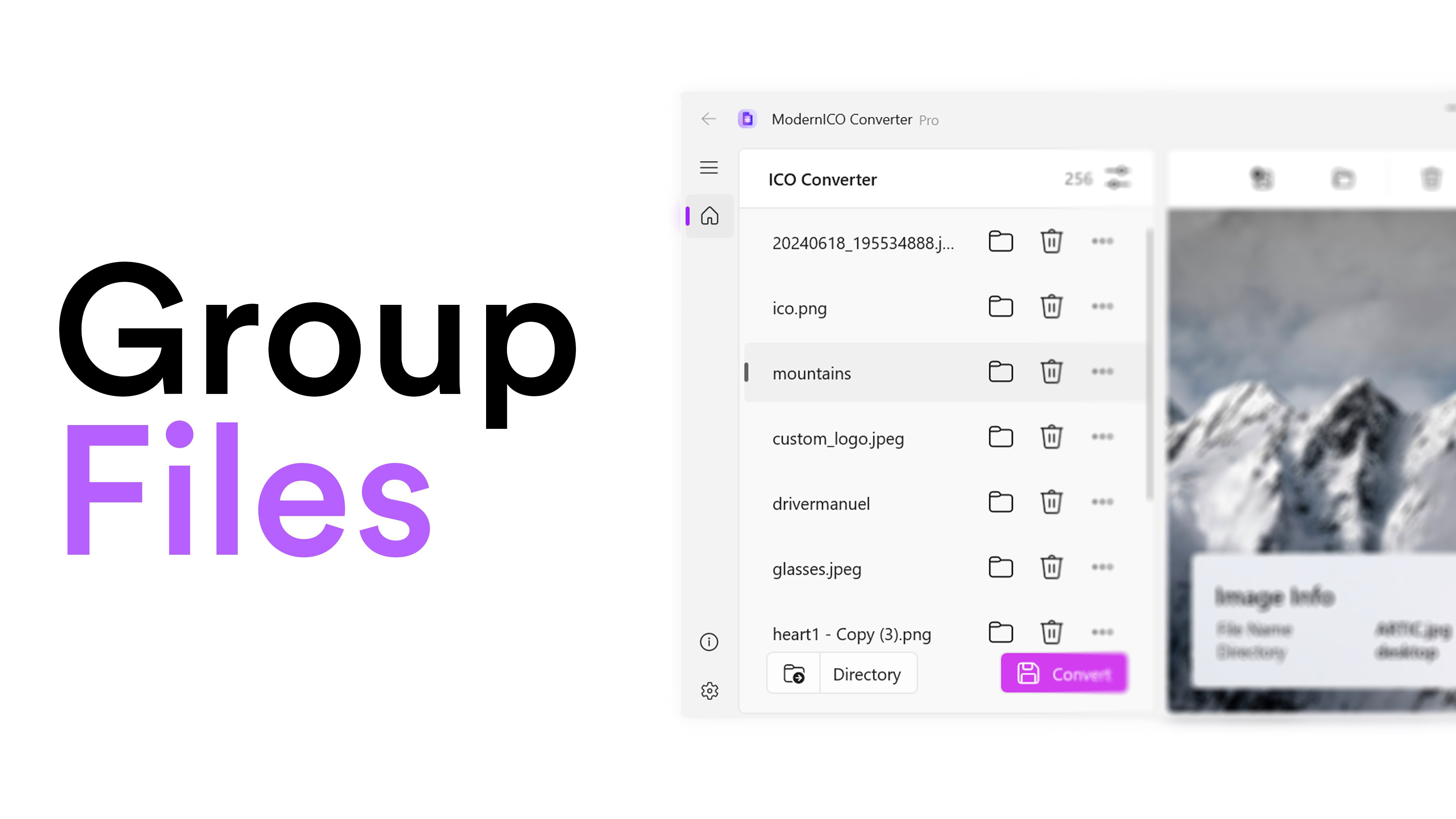
- Batch Conversion Capability: Users can select multiple images simultaneously and convert them into ICO format in a single operation. This is especially beneficial when preparing icon sets for applications or websites that require multiple sizes or states.
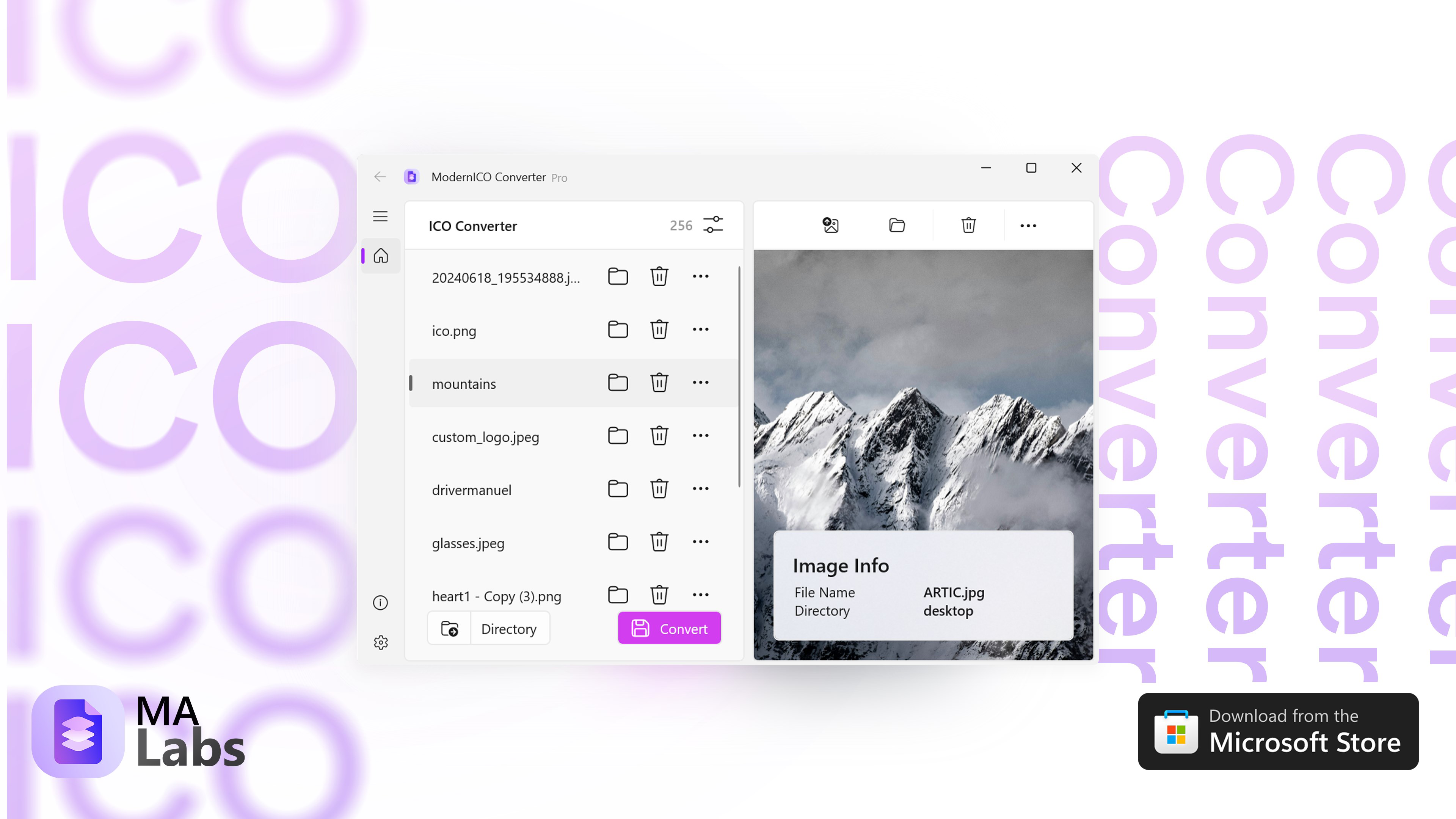
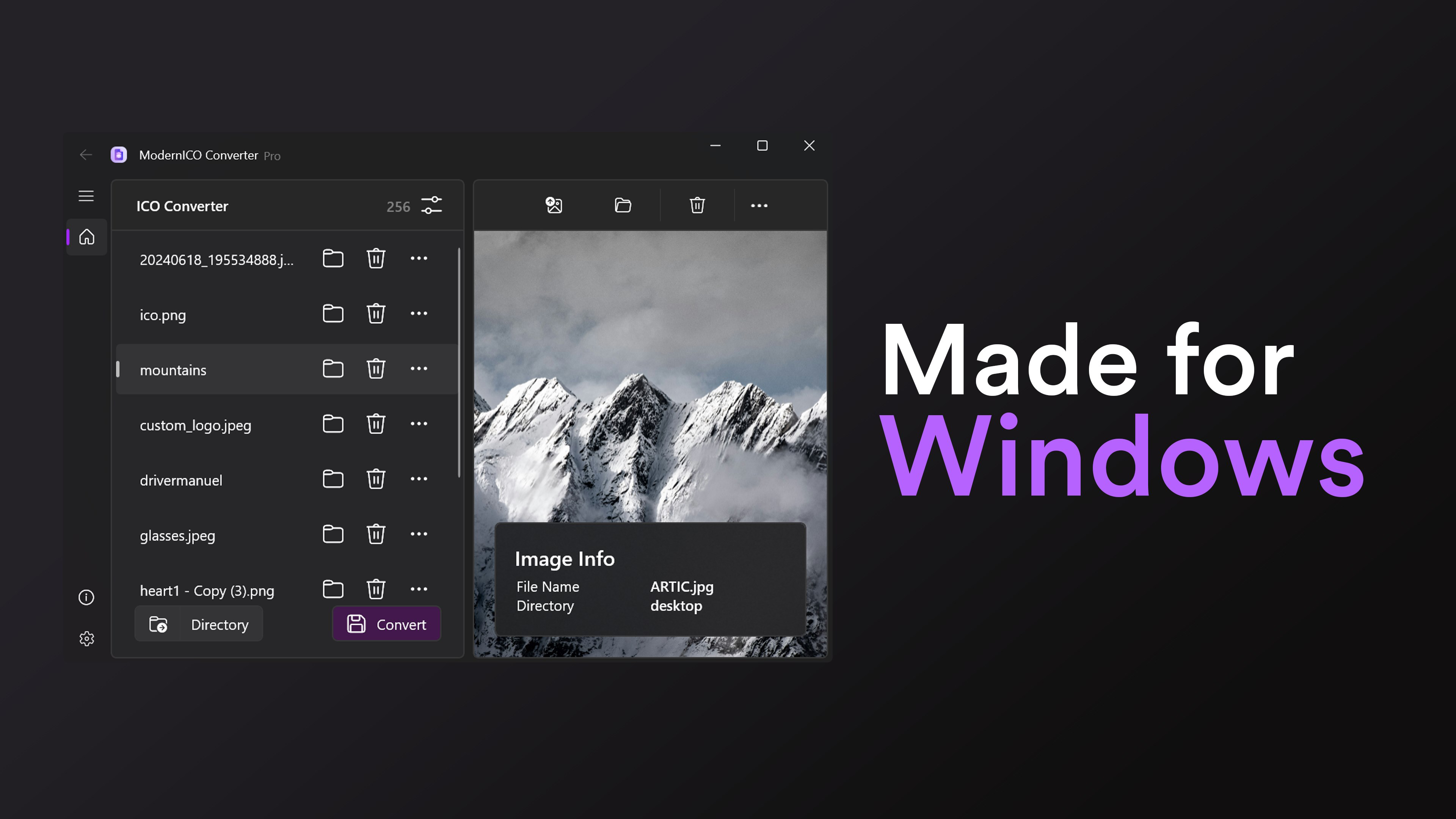
- User-Friendly Interface: The app features an intuitive layout that prioritizes ease of use. Navigation is straightforward, with clearly labeled options and minimal onboarding, allowing both beginners and experienced users to operate the tool efficiently.
- Fast Processing Speed: Designed for efficiency, ModernICO Converter processes uploads and conversions rapidly, reducing wait times and supporting time-sensitive tasks such as last-minute app updates or urgent design revisions.
- High-Quality Output: The app preserves the clarity and detail of original images during conversion, ensuring that exported ICO files maintain sharpness and visual fidelity—critical for professional-grade iconography.
For example, a developer preparing a new app for release can use the batch feature to convert a set of PNGs into ICO files with consistent quality and minimal effort. Similarly, a designer creating a favicon set can quickly generate multiple sizes from a single source image, saving hours of manual work.
Interface, UX & Performance
ModernICO Converter presents a clean, minimalist interface that emphasizes functionality over ornamentation. The layout is logically organized, with primary actions—such as selecting files and initiating conversion—placed within easy reach. Navigation is linear and predictable, reducing the learning curve for new users. Visual feedback during file processing is clear, helping users understand the status of ongoing tasks.
Although the developer did not list formal performance metrics, the app’s design suggests optimized resource usage. It operates smoothly on a range of Android devices, from mid-tier to high-end models, maintaining responsiveness during file handling. The app remains stable during batch operations, with no reported crashes or freezes in standard use. Users can expect consistent performance across different screen sizes and resolutions, indicating thoughtful adaptive design. However, specific requirements for RAM, CPU, or storage were not disclosed, so users should rely on general device compatibility. Overall, the user experience reflects a well-structured tool built for reliability and speed.
Platform Compatibility & Technical Requirements
ModernICO Converter is available exclusively on the Android platform. It is compatible with Android devices running the required operating system version, though specific minimum OS requirements were not listed. The app has a file size of 12.3 MB, which is relatively lightweight and suitable for devices with limited storage space. The current version is 1.0.0, indicating a stable initial release. The app is offered at no cost, making it accessible to a broad audience without financial barriers.
Given the absence of detailed compatibility information, users are advised to ensure their device meets general Android system standards. While no specific hardware specifications were provided, the app’s small footprint suggests it can function efficiently on a wide range of devices. The developer did not specify whether the app supports external storage access or cloud integration, so users should manage file transfers accordingly.
Pros and Cons
Pros
- Lightweight and fast, with minimal storage footprint (12.3 MB).
- Supports multiple image formats including PNG, JPEG, BMP, WEBP, and TIFF.
- Efficient batch conversion for handling multiple files at once.
- Intuitive interface suitable for users of all skill levels.
- Delivers high-quality ICO output with preserved image clarity.
Cons
- Platform limited to Android; no iOS or desktop version available.
- Specific OS version requirements were not disclosed.
- Developer did not provide details on file permissions or storage access.
- Only basic functionality is available; no advanced editing or resizing tools.
- No cloud sync or export to external platforms included.
FAQ
Is ModernICO Converter safe to download and use?
Yes, the app is available for free and does not require any suspicious permissions. It operates locally on your device, meaning your files are not uploaded to external servers.
Can I convert multiple images at once?
Yes, the app supports batch conversion, allowing you to select and convert several images into ICO format in a single operation.
What image formats are supported?
ModernICO Converter supports PNG, JPEG, JPG, BMP, WEBP, and TIFF files for conversion to ICO format.
Is the app available for iOS devices?
Currently, the app is only available for Android. There is no official iOS version at this time.
How do I update the app?
Updates are automatically available through the Google Play Store. Ensure your device is connected to the internet and check for updates regularly.
Final Thoughts
ModernICO Converter stands out as a focused, efficient tool for users who need to convert images to ICO format on mobile. Its support for multiple formats, batch processing, and high-quality output make it a reliable choice for developers and designers seeking a streamlined workflow. While it lacks advanced features and platform diversity, its simplicity and performance deliver strong value for its intended use case. The free pricing model further enhances its accessibility. For anyone managing icon creation tasks on Android, this app offers a practical, no-frills solution.
Download ModernICO Converter now
Guides & Tutorials
How to install ModernICO Converter
- Click the Download button above.
- Once redirected, accept the terms and click Install.
- Wait for the ModernICO Converter download to finish on your device.
How to use ModernICO Converter
This software is primarily used for its core features described above. Open the app after installation to explore its capabilities.
User Reviews
No reviews yet. Be the first to share your experience.
You may also like
more
Que no te pillen¡
About !Que no te pillen¡Reviewed by Jason A. BilbreyShow MoreShow Less

3D Combat Zone
About 3D Combat ZoneOriginally released in 1983, 3D Combat Zone immerses players...

666: El día del portal
About 666: El día del portalOn June 6, 2006, Agent P. Stone uncovers a sinister...

80 in 1 Best Flash games
About 80 in 1 Best Flash games 80 in 1 Best Flash games is a collection of 80 fl...

ABYSS SEEKERーーWhat Do You See Deep in The Abyss
About ABYSS SEEKERーーWhat Do You See Deep in The AbyssIn ABYSS SEEKER, players...

ACA NEOGEO THE KING OF FIGHTERS 2002 for Windows
About ACA NEOGEO THE KING OF FIGHTERS 2002 for WindowsTHE KING OF FIGHTERS 2002,...